Guide

IPTV Smarters & IPTV Player Setup Guide (2026)

Published June 9, 2026·Updated June 17, 2026
IPTV Smarters and IPTV player setup guide for FireStick, Android, Smart TV and iOS
Quick Answer

What is IPTV Smarters?

IPTV Smarters is a popular IPTV player app that turns your subscription login or playlist into a browsable live TV, VOD and EPG interface on FireStick, Android, Smart TV and other devices.

Your IPTV subscription gives you login or playlist details — but you still need an app to actually watch. That app is called an IPTV player, and IPTV Smarters is one of the most popular. This guide explains what a player does and walks through installing and loading it on every major device.

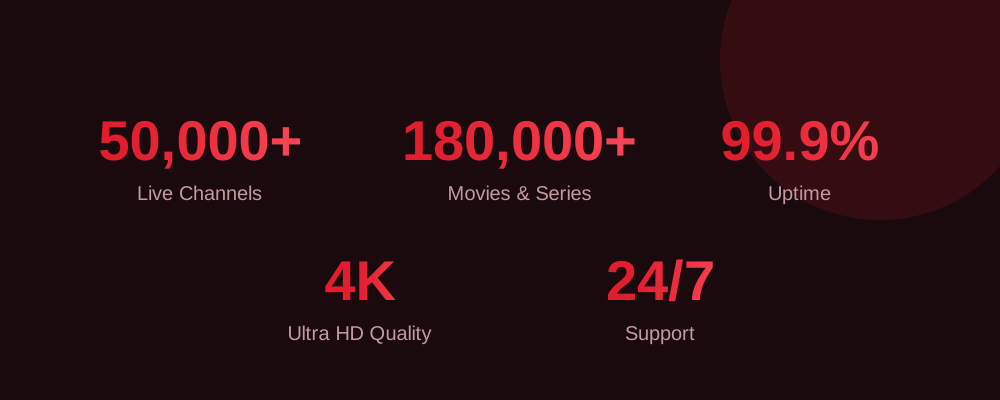
KroozTV IPTV by the numbers: 50,000+ channels, 180,000+ movies and series, 99.9% uptime, 4K quality and 24/7 support

1. Understand what an IPTV player is

An IPTV player is the app that takes your login or playlist and turns it into a channel guide you can browse and watch. IPTV Smarters, and other compatible players, handle the live TV, VOD and EPG interface.

2. Install on FireStick or Android TV

Open the Downloader app, enter the KroozTV code 3864080, install the app, then open it. Or download the app directly from iptvsmarters.com/smarters.apk and sideload it.

3. Install on Android phone or tablet

Download the APK directly to your Android device and open it to install, or get a compatible player from the Play Store.

4. Install on iOS (iPhone/iPad)

Install TiviMate or another compatible IPTV player from the App Store, then add your KroozTV details.

5. Install on Smart TV

On Samsung or LG, install a compatible IPTV player from the TV app store. On Android TV, install directly from the Play Store.

6. Load your KroozTV login

Open the player and enter the login, or the playlist URL, provided with your subscription. The channel list and EPG load automatically.

7. Tune for smooth playback

If you see any buffering, use 5GHz WiFi or wired internet, clear the app cache, and set your DNS to a fast resolver. Most issues clear up immediately.

Get your KroozTV login

You need an active KroozTV subscription or free trial to load into the player. Start a free trial, get your details, and follow the steps above for your device to be streaming in minutes anywhere in the USA or Canada.

Frequently asked questions

What is IPTV Smarters?

IPTV Smarters is a popular IPTV player app that turns your subscription login or playlist into a browsable live TV, VOD and EPG interface on FireStick, Android, Smart TV and other devices.

How do I set up an IPTV player?

Install the player on your device, open it, and enter the login or playlist URL provided with your KroozTV subscription. The channels and guide load automatically.

Is IPTV Smarters free?

The player app itself is generally free, but you need an active IPTV subscription or free trial to load into it and watch.

Which IPTV player is best for iPhone?

TiviMate and other App Store IPTV players work well on iOS. Install one, then add your KroozTV login details.

Ready to start streaming?

Try a top-rated IPTV service free before you commit, anywhere in the USA or Canada.

Start Free Trial →